


Learning how to track CPA conversions accurately is essential for measuring the real performance of CPA campaigns. Proper conversion tracking helps marketers identify profitable traffic sources, monitor completed actions, calculate conversion rates, compare campaigns, and optimize spending. This guide explains how CPA conversion tracking works, which tracking methods to use, what metrics to monitor, common mistakes to avoid, and how to use conversion data to improve campaign ROI.
CPA marketing can generate strong results, but those results are difficult to understand without accurate conversion tracking. A campaign may generate thousands of clicks while producing very few conversions, while another campaign with less traffic may generate significantly more revenue.
That is why understanding how to track CPA conversions should be one of the first priorities for any CPA marketer.
When conversion tracking is configured correctly, you can determine where conversions come from, which traffic sources perform best, which offers generate the most completed actions, and where users leave the conversion funnel.
This information allows marketers to make better decisions instead of optimizing campaigns based only on clicks or impressions.
In this guide, we will explain how to track CPA conversions, the tools and methods involved, important metrics to monitor, common tracking problems, and practical ways to use conversion data to improve CPA campaign performance.
What Are CPA Conversions?
Before learning how to track CPA conversions, it is important to understand what a CPA conversion actually means.
CPA stands for Cost Per Action or Cost Per Acquisition. In CPA marketing, an advertiser pays when a user completes a predefined action.
Depending on the campaign, the conversion action could include:
- Completing a registration
- Submitting a lead form
- Downloading an application
- Installing an app
- Signing up for a free trial
- Making a purchase
- Requesting a quote
- Completing a survey
- Subscribing to a service
- Completing another advertiser-defined action
For example, imagine you promote an offer that pays $20 for every qualified lead.
If 100 users visit your landing page and 5 users complete the required action, you have generated five CPA conversions.
Without tracking, you may know that clicks are coming in, but you will not know exactly which campaign, keyword, placement, device, or traffic source generated those five conversions.
That is where conversion tracking becomes essential.
If you are new to CPA marketing, you can first review the Complete Guide to CPA Marketing for Beginners to understand the broader CPA marketing model.
Why Is CPA Conversion Tracking Important?
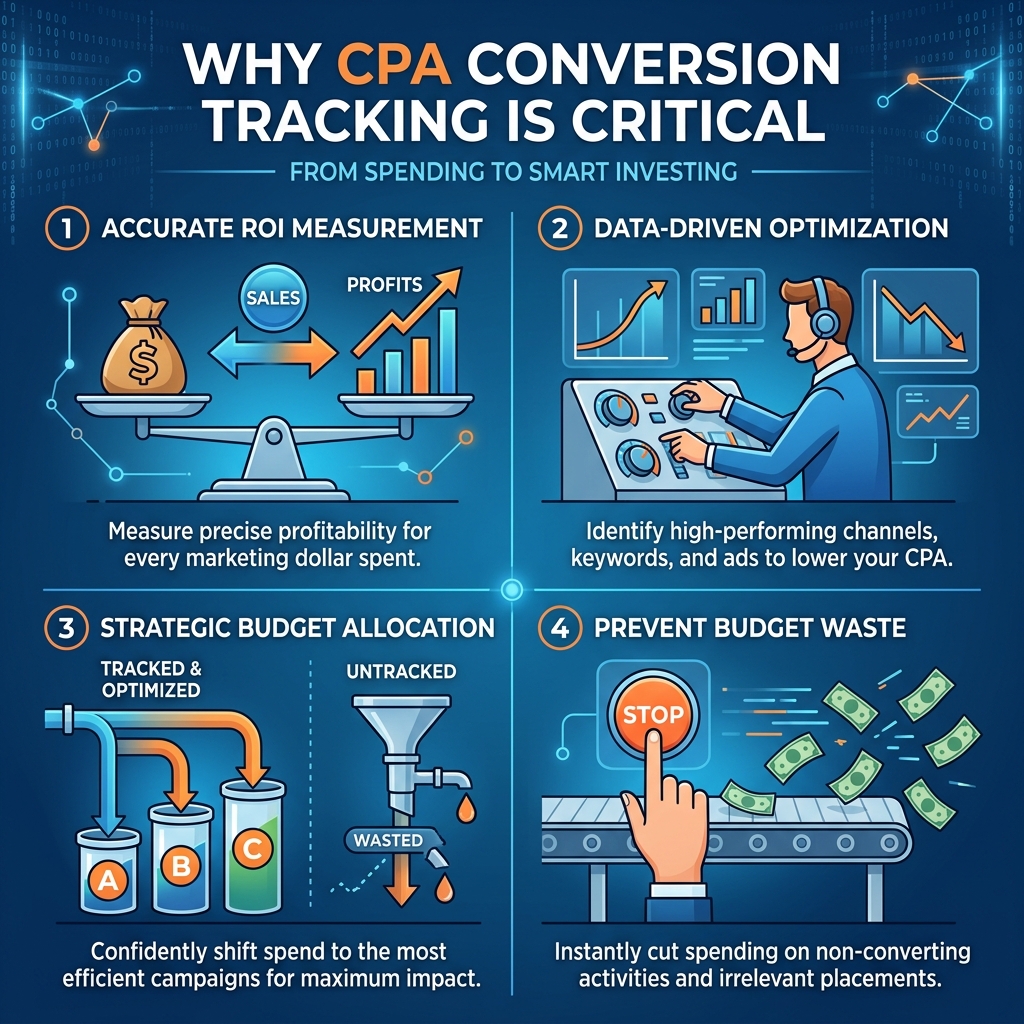
Understanding how to track CPA conversions is important because raw traffic numbers do not tell the complete story.
A campaign can receive thousands of visitors and still lose money if those visitors do not convert.
Conversion tracking provides information about the complete journey from traffic to action.
1. Identify Profitable Traffic Sources
Tracking lets you determine which traffic sources produce actual conversions.
For example:
| Traffic Source | Clicks | Conversions | Conversion Rate |
|---|---|---|---|
| Google Ads | 2,000 | 80 | 4% |
| Facebook Ads | 3,000 | 60 | 2% |
| Native Ads | 4,000 | 100 | 2.5% |
| Push Traffic | 5,000 | 40 | 0.8% |
Although push traffic generated the most clicks, it produced the lowest conversion rate.
Without tracking, you might incorrectly assume that more traffic means better performance.
2. Measure Campaign Performance
Conversion tracking allows you to compare different campaigns and determine which ones deserve more budget.
3. Calculate CPA
You can calculate the actual cost of generating each conversion.
CPA = Total Campaign Cost ÷ Number of Conversions
For example:
If you spend $500 and generate 50 conversions:
$500 ÷ 50 = $10 CPA
4. Optimize Your Campaign
Once you understand which traffic sources, ads, audiences, devices, and placements produce conversions, you can optimize your campaigns around the data.
5. Improve ROI
Accurate tracking helps you reduce wasted spending and allocate more budget toward profitable traffic.
How to Track CPA Conversions Step by Step
Now let’s look at how to track CPA conversions from setup to optimization.
The exact implementation depends on your CPA network, traffic source, website, landing page, and tracking platform, but the overall process is similar.
Step 1: Define the Conversion Action
The first step in how to track CPA conversions is clearly defining what counts as a conversion.
Ask:
- What action does the advertiser require?
- When does the CPA network record a conversion?
- Is the conversion a lead, sale, registration, installation, or another action?
- Is the conversion approved immediately or after validation?
- Are there restrictions on traffic sources?
For example, if an offer pays for completed registrations, a click is not a conversion.
The user must complete the registration required by the offer.
Clearly defining the conversion event prevents incorrect tracking and reporting.
Step 2: Choose a Conversion Tracking Method
There are several methods available for tracking CPA conversions.
The most common include:
- Tracking pixels
- Postback URLs
- Server-to-server tracking
- JavaScript tracking
- Google Tag Manager
- Google Analytics
- Affiliate tracking platforms
- UTM parameters
For CPA campaigns, postback tracking and server-to-server tracking are particularly useful because they can provide more reliable conversion information than relying only on browser-based tracking.
Step 3: Use Tracking Parameters
Tracking parameters allow you to identify where each visitor came from.
Common parameters may include:
- Campaign ID
- Source
- Medium
- Keyword
- Ad ID
- Placement
- Device
- Creative ID
- Click ID
For example, instead of sending all traffic through one generic URL, you might create unique tracking values for different campaigns.
This makes it easier to identify which campaign generated a conversion.
A simplified tracking structure might look like:
Campaign → Ad → Click ID → Landing Page → Offer → Conversion
Each stage should maintain the information required to attribute the conversion correctly.
Step 4: Implement a Conversion Pixel or Tracking Code
Some advertisers or platforms provide a conversion pixel that fires when the desired action is completed.
For example, an ecommerce website might place conversion tracking code on its order confirmation page.
When a user completes the required action, the tracking code sends information back to the tracking system.
However, marketers should verify exactly where the conversion code needs to be placed.
Installing a tracking code on the wrong page can result in:
- Missing conversions
- Duplicate conversions
- Incorrect attribution
- Inflated conversion numbers
Always test the implementation before launching a campaign at scale.
Step 5: Use Postback Tracking
Postback tracking is one of the most useful methods for understanding how to track CPA conversions.
A postback allows the CPA network to send conversion information back to the tracking system when an action is completed.
A simplified flow looks like this:
User Click → Click ID Generated → User Completes Offer → CPA Network Records Conversion → Postback Sent → Tracker Records Conversion
The click ID connects the original visitor with the eventual conversion.
This makes it possible to identify which traffic source generated the result.
Postback tracking can be especially useful for affiliate and CPA marketers working with multiple traffic sources.
Step 6: Connect Your Traffic Source
The next step is connecting your traffic source to your tracking system.
Common CPA traffic sources include:
- Google Ads
- Facebook Ads
- Native advertising
- Push notifications
- Display advertising
- Email marketing
- Mobile traffic
- Search traffic
Each source may have different tracking requirements.
For example, if you are running paid social campaigns, you may need to pass a unique campaign or ad identifier.
If you are using native ads, you may want to track individual placements and creatives.
If you are using push traffic, tracking source IDs and campaign IDs can help identify high-performing segments.
For more information about traffic acquisition, see the Best CPA Traffic Sources for Beginners guide.
Step 7: Test Your Tracking Setup
Never assume that tracking works simply because the code has been installed.
Testing is one of the most important parts of learning how to track CPA conversions correctly.
Perform a test conversion and check whether:
- The click is recorded.
- The click ID is stored.
- The landing page receives the tracking parameter.
- The CPA network records the action.
- The postback fires correctly.
- The tracker records the conversion.
- Revenue is attributed to the correct campaign.
If your tracker shows 10 conversions while the CPA network reports only 7, investigate the discrepancy before scaling the campaign.
Step 8: Monitor Conversion Data
After tracking is active, monitor your data consistently.
Important metrics include:
Clicks
The number of users who clicked your advertisement or promotional link.
Conversions
The number of users who completed the required CPA action.
Conversion Rate
Conversion rate measures how many visitors or clicks resulted in conversions.
Conversion Rate = Conversions ÷ Clicks × 100
For example:
1000 clicks and 50 conversions:
50 ÷ 1000 × 100 = 5%
Cost Per Acquisition
CPA = Advertising Cost ÷ Conversions
If you spend $1,000 and generate 100 conversions:
$1,000 ÷ 100 = $10 CPA
Revenue
Revenue represents the amount generated from conversions.
Profit
Profit = Revenue − Advertising Cost
ROI
ROI = (Revenue − Cost) ÷ Cost × 100
These metrics give you a clearer picture of campaign profitability.
How to Track CPA Conversions Across Different Traffic Sources
Different traffic sources require different optimization approaches.
Google Ads
When using Google Ads, track:
- Campaign
- Ad group
- Keyword
- Search term
- Device
- Location
- Conversion action
You can then identify which keywords generate actual CPA conversions instead of only clicks.
Facebook Ads
For Facebook campaigns, track:
- Campaign
- Ad set
- Advertisement
- Audience
- Placement
- Device
- Creative
This can help identify which audiences and advertisements produce the highest conversion rates.
If you’re using Facebook for CPA campaigns, check the CPA Marketing With Facebook Ads: Beginner’s Guide.
Native Advertising
Native campaigns often require close monitoring of:
- Publisher
- Placement
- Creative
- Headline
- Image
- Device
- Geographic location
The Native Ads for CPA Marketing Complete Guide can provide additional context for this traffic source.
Push Traffic
For push campaigns, monitor:
- Source
- Campaign
- Device
- Country
- Operating system
- Subscription source
- Creative
This helps you identify low-quality traffic and profitable segments.
You can also review the Push Traffic for CPA Offers Complete Guide for more information.
How to Track CPA Conversions Using UTM Parameters
UTM parameters can help marketers understand where website traffic originates.
Common UTM parameters include:
utm_sourceutm_mediumutm_campaignutm_termutm_content
For example:
utm_source=facebook
utm_medium=paid
utm_campaign=summer_offer
utm_content=creative_a
These parameters can help distinguish traffic from different campaigns and creatives.
However, UTM parameters should be part of a broader tracking system rather than the only method used for CPA attribution.
How to Track CPA Conversions With a Tracking Platform
A dedicated tracking platform can make CPA campaign management easier when you operate multiple campaigns or traffic sources.
A tracker can help you monitor:
- Clicks
- Conversions
- Revenue
- Cost
- Profit
- ROI
- Conversion rate
- Traffic source
- Campaign
- Device
- Country
- Placement
This information can be displayed in a centralized dashboard.
Instead of checking several platforms manually, marketers can analyze campaign performance from one tracking environment.
This becomes particularly useful when scaling campaigns.
How to Track CPA Conversions and Identify Profitable Campaigns

Tracking conversions is only the first step.
The real goal is using the data to make better decisions.
Suppose you have three campaigns:
| Campaign | Cost | Conversions | Revenue | Profit |
|---|---|---|---|---|
| Campaign A | $300 | 20 | $400 | $100 |
| Campaign B | $500 | 50 | $900 | $400 |
| Campaign C | $400 | 15 | $250 | -$150 |
Campaign B clearly deserves further testing and scaling.
Campaign C may need optimization or may need to be paused.
This is why how to track CPA conversions is closely connected to campaign optimization.
Tracking tells you what happened.
Analysis tells you why it happened.
Optimization determines what you should do next.
Common CPA Conversion Tracking Mistakes
Even experienced marketers can make tracking mistakes.
1. Not Testing Before Launch
Launching a campaign without testing tracking can result in lost conversion data.
2. Tracking Clicks Instead of Conversions
Clicks are useful, but CPA campaigns ultimately depend on completed actions.
3. Losing Click IDs
If the click identifier disappears during the user journey, conversion attribution may fail.
4. Duplicate Conversion Tracking
A conversion may accidentally be counted multiple times if the tracking code fires more than once.
5. Ignoring Tracking Discrepancies
Your advertising platform, tracker, and CPA network may sometimes show different numbers.
Small differences can occur, but significant discrepancies should be investigated.
6. Using Too Many Tracking Parameters
Overcomplicated tracking systems can create confusion.
Use only the parameters you actually need.
7. Failing to Track Individual Campaign Elements
Tracking only the overall traffic source does not tell you which campaign, creative, or placement generated the conversion.
8. Scaling Before Validating Tracking
Never increase campaign spending significantly until you are confident that conversions and revenue are being recorded correctly.
For additional mistakes and optimization considerations, see CPA Marketing Mistakes to Avoid.
How to Improve CPA Conversion Tracking Accuracy
Better tracking requires both technical accuracy and consistent monitoring.
Use Unique Tracking IDs
Give campaigns, advertisements, and traffic sources unique identifiers.
Keep Your Tracking Structure Organized
Create a consistent naming system.
For example:
Source_Campaign_Creative_Device
This makes reports much easier to understand.
Test Every New Campaign
Do not assume that an old tracking setup will automatically work with a new campaign.
Compare Multiple Data Sources
Compare:
- Ad platform data
- Tracking platform data
- CPA network data
- Analytics data
This can help identify tracking problems.
Maintain Documentation
Keep records of:
- Tracking URLs
- Conversion events
- Postback settings
- Campaign IDs
- Offer IDs
- Traffic source settings
Good documentation becomes especially important when several team members manage campaigns.
How to Track CPA Conversions and Optimize Campaigns
Once enough data has been collected, begin optimization.
Look for patterns such as:
- High-converting countries
- High-performing devices
- Profitable traffic sources
- Strong campaigns
- Weak campaigns
- High-performing creatives
- Low-performing placements
- Strong landing pages
- Poor landing pages
You can then:
- Increase budget for profitable campaigns.
- Pause consistently unprofitable traffic.
- Test new creatives.
- Improve landing pages.
- Adjust targeting.
- Test different CPA offers.
- Improve conversion rates.
For landing page improvements, see the CPA Landing Page Optimization Guide.
The Relationship Between CPA Tracking and ROI
Accurate conversion tracking directly influences your ability to measure ROI.
Suppose your campaign spends $1,000.
If your tracking system reports 100 conversions at $15 each, your revenue is:
100 × $15 = $1,500
Your profit is:
$1,500 − $1,000 = $500
But if your tracking fails to record 20 conversions, you might incorrectly believe that the campaign generated only $1,200.
That could lead you to pause a profitable campaign.
This example demonstrates why accurate conversion tracking is not simply a technical task. It can directly affect business decisions.
For more optimization strategies, check the Maximize CPA Marketing ROI guide.
Advanced CPA Conversion Tracking
As campaigns become larger, basic conversion tracking may not be enough.
Advanced tracking can include:
Sub-ID Tracking
Sub-IDs can help identify individual traffic segments.
Server-to-Server Tracking
Server-side communication can reduce dependence on browser-based tracking.
Multi-Channel Attribution
This helps marketers understand how different marketing touchpoints contribute to conversions.
Device-Level Analysis
You can compare desktop, mobile, and tablet performance.
Geographic Analysis
Compare conversion performance by country, region, or city when the available data supports it.
Creative-Level Tracking
Track individual advertisements to determine which creative produces the best results.
These techniques can help marketers move from basic conversion measurement toward a more sophisticated data-driven CPA strategy.
CPA Conversion Tracking Checklist
Before launching your CPA campaign, use this checklist:
Conversion action clearly defined
Tracking platform selected
Tracking URL created
Unique campaign ID added
Click ID configured
Conversion pixel installed if required
Postback configured if supported
Traffic source connected
Test conversion completed
Conversion recorded correctly
Revenue recorded correctly
CPA calculation verified
Campaign naming system created
Traffic segments configured
Reporting dashboard prepared
Tracking discrepancies checked
Optimization process established
Completing these steps before scaling can significantly reduce tracking problems.
Final Thoughts
Learning how to track CPA conversions is one of the most important skills for anyone running CPA campaigns.
Without accurate conversion tracking, you may know how many people clicked your advertisements, but you will not know which traffic generated meaningful results.
With a properly configured tracking system, you can identify profitable campaigns, compare traffic sources, measure conversion rates, calculate CPA, analyze revenue, and make informed optimization decisions.
The most effective approach is to define your conversion event, use appropriate tracking parameters, configure pixels or postbacks where required, test the system carefully, and consistently analyze your data.
Remember that tracking is not the final destination. It is the foundation for optimization.
Once you understand how to track CPA conversions, you can use that information to improve your landing pages, traffic sources, advertisements, targeting, offers, and overall campaign strategy.
The goal is not simply to generate more clicks. The goal is to generate measurable, profitable conversions.
Frequently Asked Questions
1. What is CPA conversion tracking?
CPA conversion tracking is the process of recording and attributing completed actions generated through CPA campaigns. It helps marketers identify which traffic sources, campaigns, advertisements, and other campaign elements generated conversions.
2. How to track CPA conversions accurately?
To understand how to track CPA conversions accurately, define the conversion event, create unique tracking parameters, configure your tracking platform, use pixels or postbacks when appropriate, test the setup, and regularly compare your data with the CPA network.
3. What is the difference between a click and a CPA conversion?
A click occurs when someone interacts with your advertisement or promotional link. A CPA conversion occurs when that user completes the specific action required by the offer, such as submitting a lead form or completing a registration.
4. What is a CPA postback?
A CPA postback is a server-to-server notification that sends conversion information from the CPA network back to a tracking platform when a qualifying action occurs.
5. Why is a click ID important for CPA tracking?
A click ID helps connect a user’s initial click with their eventual conversion. It can allow marketers to identify the campaign, traffic source, or other tracking information associated with the conversion.
6. Can Google Analytics track CPA conversions?
Analytics platforms can help measure website events and conversions, but CPA marketers may also need tracking parameters, affiliate network reporting, or postback tracking for complete campaign attribution.
7. What is a good CPA conversion rate?
There is no universal good conversion rate. It depends on the offer, industry, traffic source, audience, landing page, device, geography, and conversion action. Compare your results against historical campaign data and profitability rather than using one fixed benchmark.
8. How do I calculate CPA?
Calculate CPA by dividing the total advertising cost by the number of conversions.
CPA = Total Advertising Cost ÷ Number of Conversions
For example, $500 spent and 50 conversions results in a $10 CPA.
9. Why are CPA network conversions different from my tracker?
Differences can result from attribution rules, duplicate conversions, rejected conversions, tracking failures, delayed reporting, time-zone differences, or technical problems. Significant discrepancies should be investigated.
10. Should I track every CPA campaign separately?
Yes. Tracking individual campaigns makes it easier to compare performance and identify which campaigns, creatives, placements, and traffic sources generate the strongest results.
11. What metrics should I monitor besides conversions?
Important metrics include clicks, conversion rate, CPA, revenue, profit, ROI, EPC where applicable, traffic source performance, device performance, geographic performance, and campaign-level results.
12. How can CPA conversion tracking improve campaign performance?
Accurate tracking shows which parts of a campaign are producing profitable results. Marketers can use this information to increase investment in strong traffic sources, reduce wasted spending, improve landing pages, test creatives, and optimize campaign targeting.


Leave a Reply